
Magic Import builds a trip from an itinerary that's already written. Paste a plan from ChatGPT, a blog post, an email or your own notes, and Stopover turns it into a route on the map with real flights, trains and hotels.
Open it
There are three ways in:
- Choose Magic-import any existing written itinerary when you start a new trip.
- Click Gerald (in the corner of the map, or at the bottom right of your trip on a phone) and paste your itinerary to him.
- Click Magic Import at the top of the Stopover homepage.
Paste your itinerary
The panel says Bring in an itinerary. Paste the whole thing into the box at the bottom and send it. Include your dates, where you're flying from, and any hotels or flights you've already chosen. The more it says, the less Stopover has to fill in.
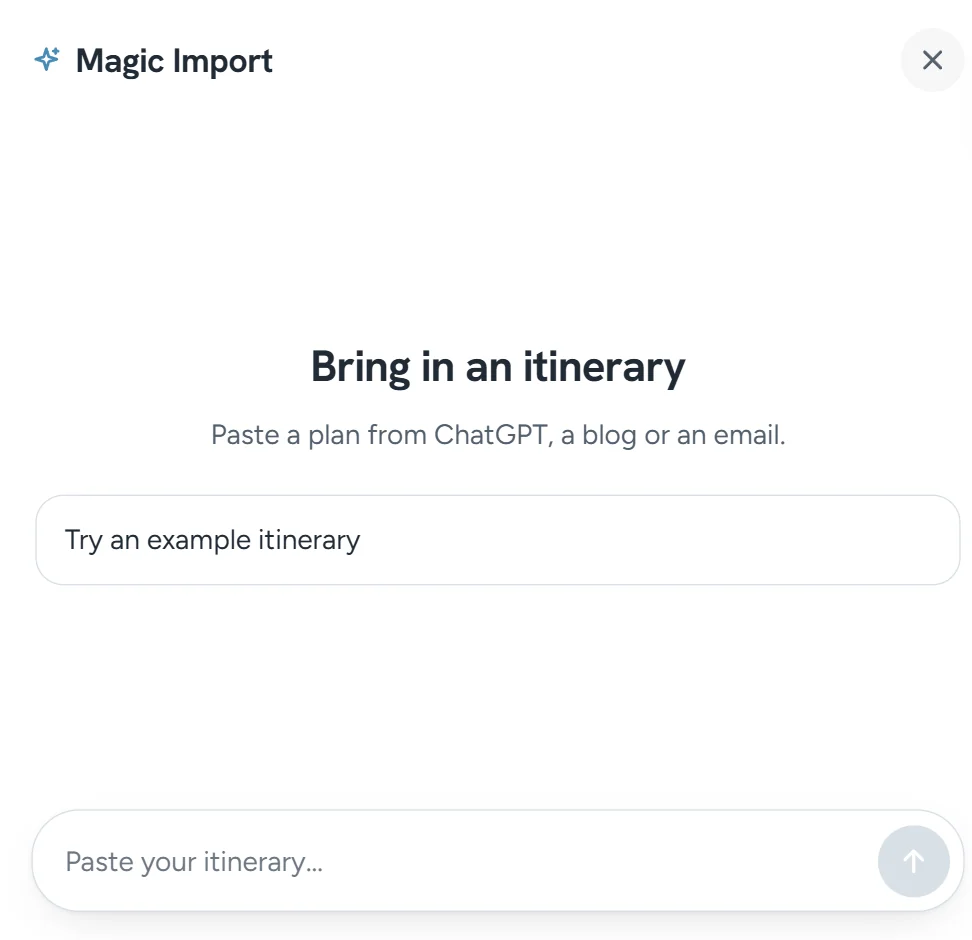
Want to see it work first? Click Try an example itinerary. For a worked example, see How to turn a ChatGPT itinerary into a real trip.
It builds right away
Stopover tells you the trip it's planning, then builds it: every stop with its nights and dates, and any hotel or flight you named. If it needs something first, such as where you're flying from or your start date, it asks.
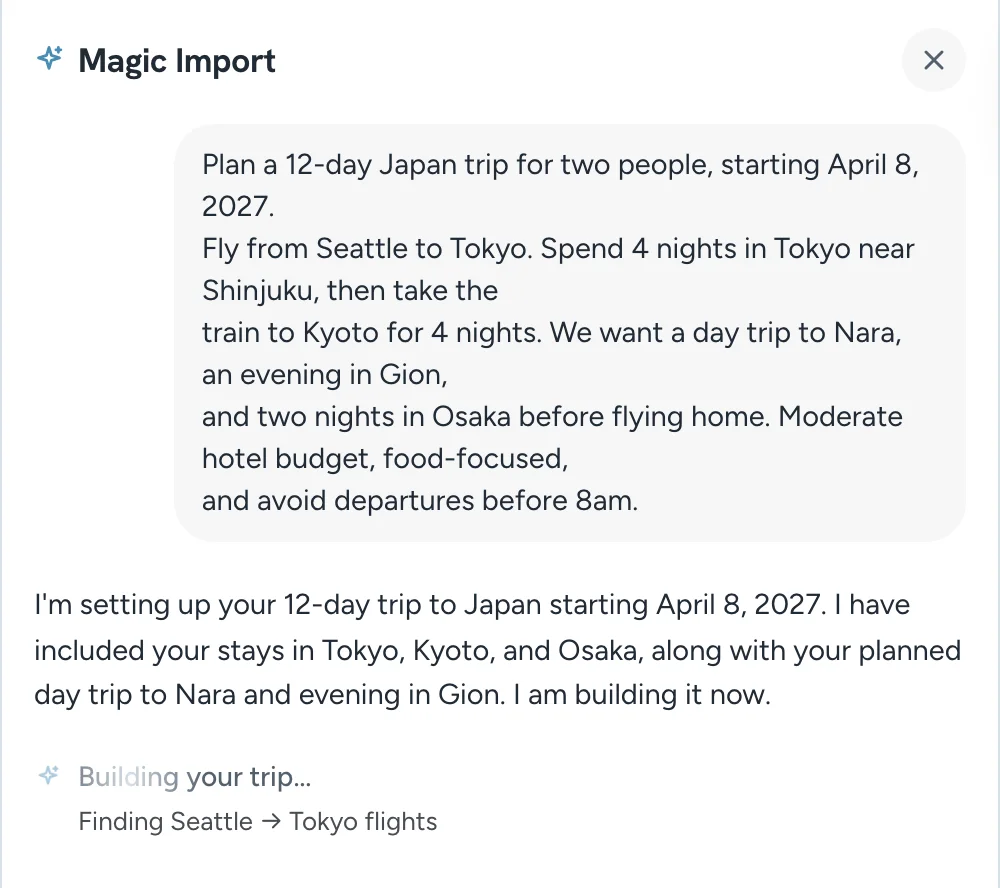
It draws the route and searches flights, trains and hotels for your dates. When it says Your trip is ready, the trip is in your itinerary: each flight, hotel and train with its price, ready to change or book. Budget adds up the total.
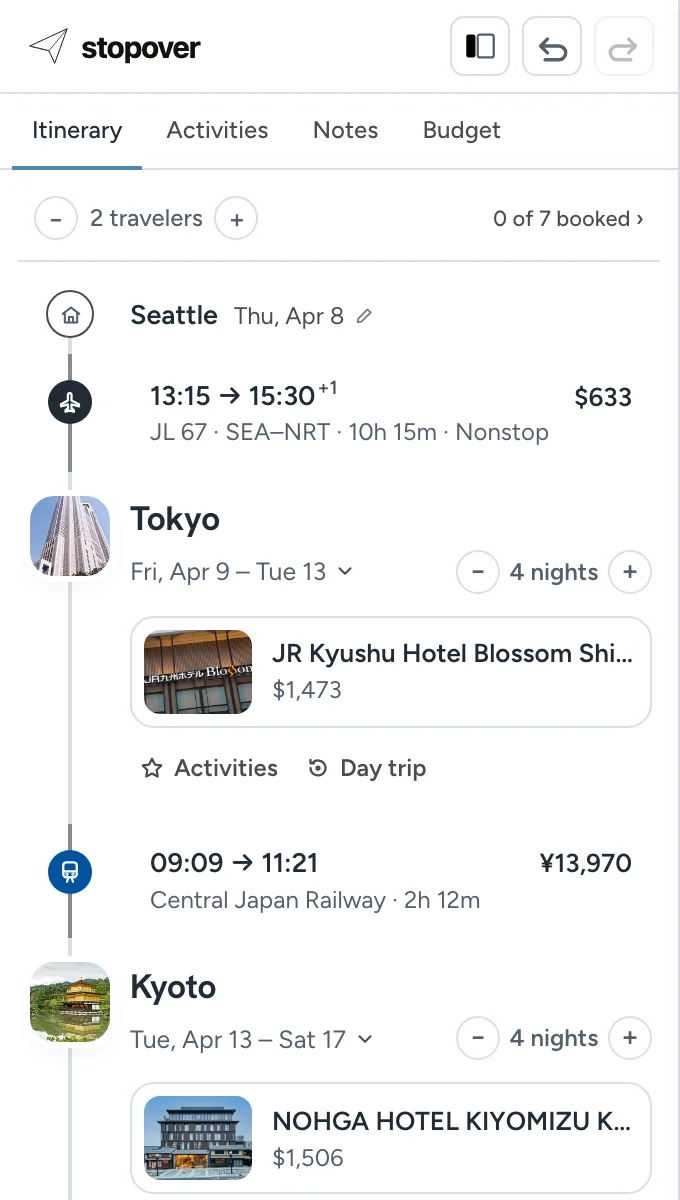
Something's off? Say so in the box ("Kyoto is 3 nights, not 2"), or change it in the itinerary.
What it keeps
Magic Import preserves your plan. It keeps every destination, the order, the dates and nights, the activities, and any hotel, airline, flight number or train you named. Bookings you mention as confirmed are marked as booked, with the confirmation number.
It only fills what's missing: a hotel for a night that has none, and a flight, train or drive between two stops.
If a hotel you named isn't there
A hotel you named stays on the trip. When Stopover finds it in live results, it shows the price and can be booked. When it can't, the hotel is kept by name, without a price. To look for it yourself, open the city's hotel panel and:
- clear the default filters. Results start at a 4.0+ rating and 3 to 5 stars, which hides new and unrated places.
- move the map and click Search this area if the hotel is outside town.
- use Add a hotel manually if it still isn't there. It sits on your trip like any other hotel.
Make changes
Type in Ask for a change… to adjust the trip in plain words, or click any flight, train or hotel to change it by hand. See Ask for a change: edit your trip by asking.
To import a different itinerary, start a new trip first (+ New in the trips menu), or use the compose button at the top of the panel to start a fresh conversation.
Limits
- One import builds a route of up to 6 overnight stops. If your itinerary has more, the extra stops are folded into their neighbors. Add them back with the + between two cities.
- It reads text, not screenshots.
- Dates more than about 10 months away may not have flights or hotel prices yet.
- Without an account you get a few imports a day. Signing in raises the limit.
FAQ
Does it matter which AI wrote the itinerary?
No. Magic Import reads plain text from anywhere.
Will it rearrange my trip?
No. It keeps your stops in your order. It won't add or drop a city because another route looks better.
Nights look wrong after an overnight flight. Why?
The trip counts from the day you land. Add the night back with the + on that city.